
Support
We answer the phone.
Real people in Machias, seven days a week — whether you’re on a town road or out past the ferry line. Try a quick fix, walk through the installation guide, or skip straight to a human.
Call support
207-255-0679 · Option 3 for technical help
Request support
Open a service request — tell us what’s wrong and we’ll take it from here
Pay your bill
Online portal — card or automatic check withdrawal
Network status
Outage in your area? Check here before troubleshooting
Before you call
Fix it fast
Internet down? Power-cycle first.
Unplug your router and the Axiom ONT (the small box the fiber comes into). Wait two full minutes. Plug the ONT back in first and give its lights a minute or two to settle, then plug in the router. This clears most drops after storms or power blips.
Slow Wi-Fi isn’t slow fiber.
Speed tests over Wi-Fi measure your Wi-Fi, not your fiber. Test with a computer cabled to the router, or at least standing next to it. If wired is fast and wireless is slow, the fix is the router: place it up off the floor, central in the house, and know that older Wi-Fi hardware often can’t pass gigabit speeds. Leasing from us? We support it — just call.
Check if it’s just you.
Storms happen in Maine. Before troubleshooting, glance at the Network Status page — if there’s a known outage in your area, our crew is already on it and you can skip the unplugging.
Getting installed
From the line to your living room
Four steps, start to streaming. Builds differ between our mainland towns and the unbridged islands, so pick your world below. Fees, deposits, and promos vary by community — they live in your town’s panel.
Sign up & schedule
Your part: one phone call
Call 207-255-0679 (Option 1). We’ll confirm your town’s fees and call back to schedule the outside and inside work. Billing starts only when both are complete — so you can keep your current provider until your new service is live. Seasonal plans run on a fixed spring-to-fall schedule, with the season’s fee due in full on May 1.
Have ready when you call
- Service address, plus any access details our installers should know
- The speed plan you want — your town’s rates
- Router choice: lease from Axiom, or bring your own
- A payment method
Standard installation is typically $299 for drops up to 500 feet, payable before work begins; longer runs are billed per foot where towns specify it. Watch your town’s panel for free-installation promotions and small deposits credited to your first bill.
Off-shore drops are typically $499 for runs up to 500 feet — boats and barges are part of the job. Connecting while the network is in its construction phase is almost always the least expensive moment; afterward, standard or market-rate installation applies.

The outside work (the “drop”)
Your part: usually nothing — no need to be home
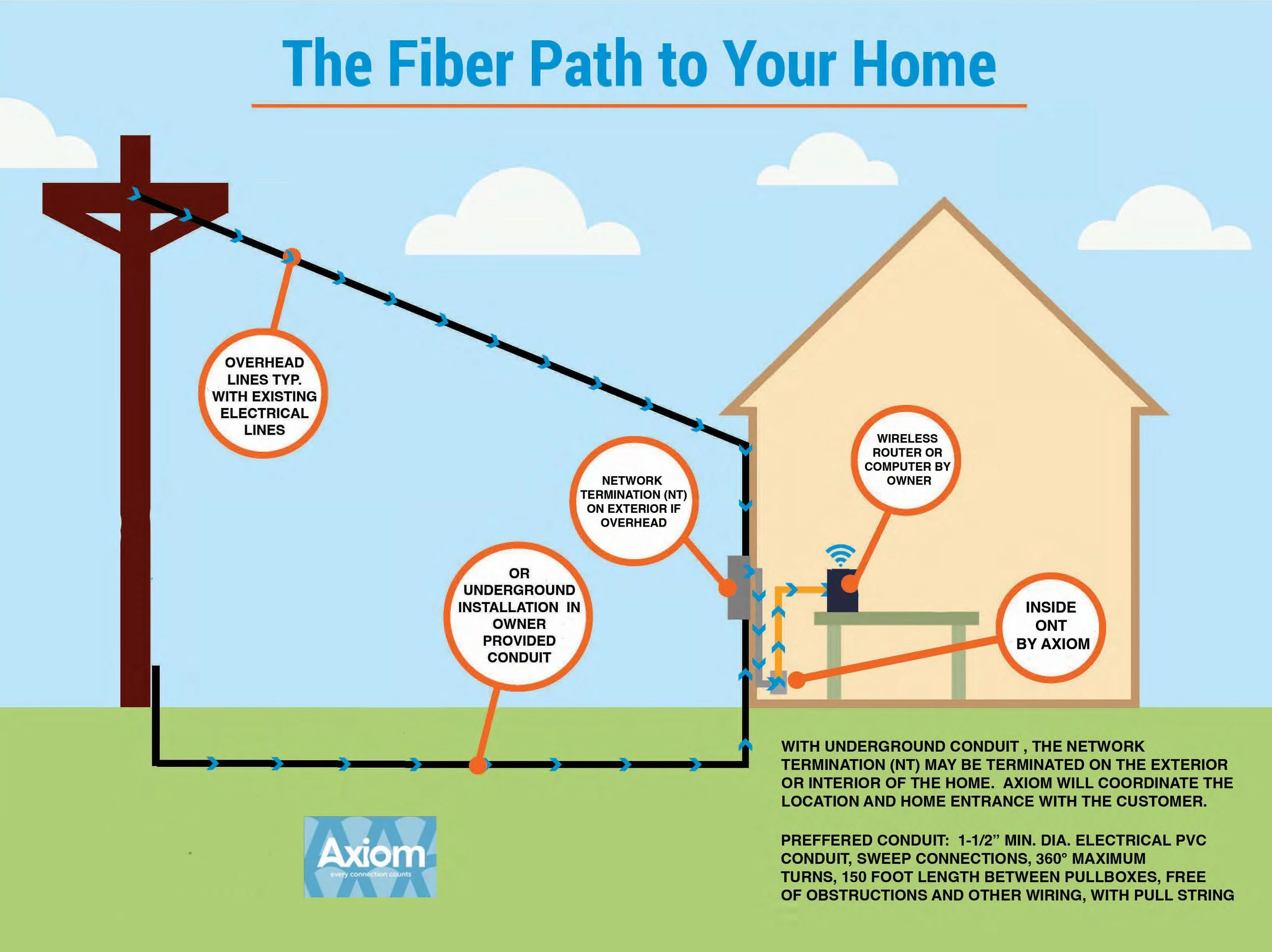
A crew connects your home to the network, ending at the Network Interface Device (NID) — a weatherproof box mounted outside, typically beside your power meter or breaker panel. They’ll only knock if something unusual comes up, like a line that must terminate indoors or a protective dog. The finished drop is then tested and certified, which can take a few weeks.
Good to know
- Multiple powered buildings on the property? Say so at sign-up and choose which one gets the NID.
- Underground runs use conduit you provide — open, with room to pull a new cable through (spec and inspection details below).
Overhead: the fiber follows your existing power lines from the pole to the NID. Underground: we pull fiber through your conduit, and the NID sits where the conduit meets the house — if it terminates indoors, you’ll need to be present and we’ll coordinate the timing.
On the ground: island ledge makes trenching impractical, so direct-burial-rated cable is surface-laid, following the water lines where practical and crossing roads in buried conduit; two small boxes are mounted on the outside of the home. After installation, tuck the cable below the sod with a spade in landscaped or walked areas. Underground: available through conduit you provide, at owner expense. The island backbone itself is submarine fiber from the mainland — cable our own crews have laid on builds like Isle au Haut.
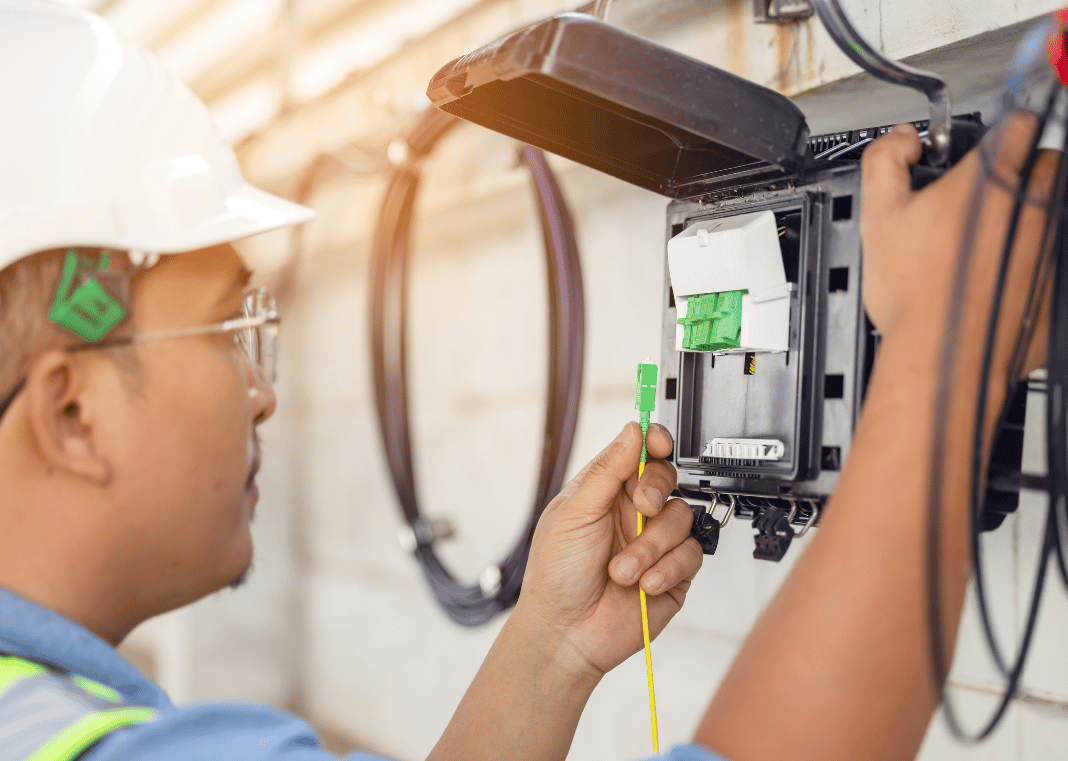
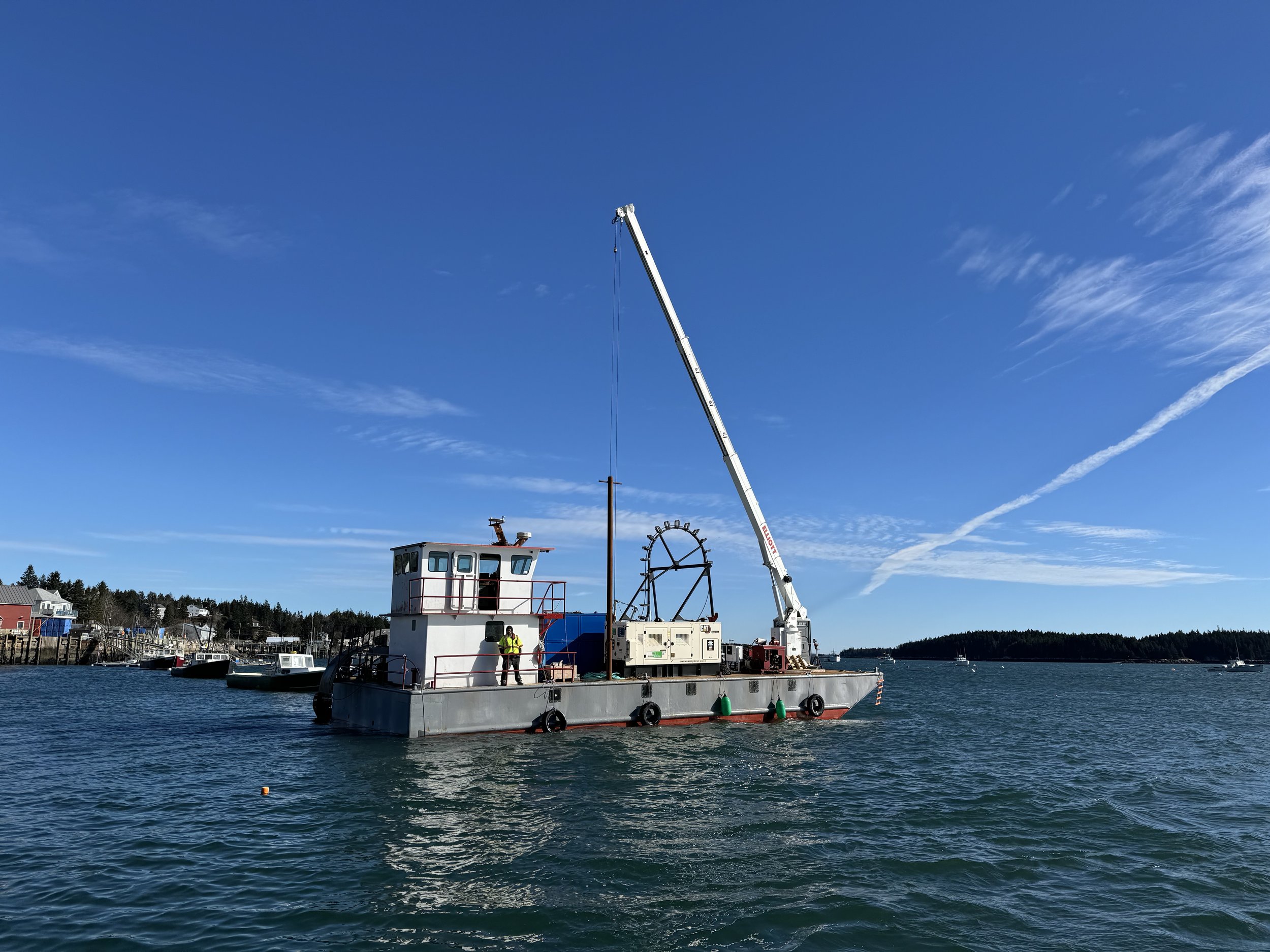
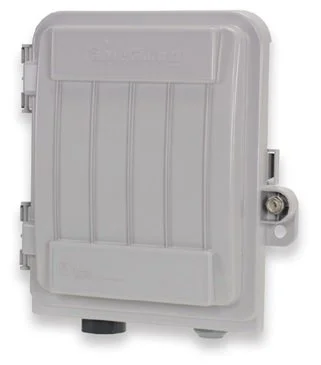
The NID — the small gray box where our network meets your house.
The inside work
Your part: be home — or appoint someone who is
Once the drop passes certification, we call to schedule an Axiom technician. They run the fiber from the NID to one location inside and mount the Optical Network Terminal (ONT) near a power outlet — roughly 6¼″ × 7¾″ × 2″, installed as a permanent fixture (the exact model may vary with availability). Plan on a 60–90 minute visit; we schedule flexibly for part-time residents.
Can’t be there in person? Appoint someone local with the Authorized Representative form (email it to sales@connectwithaxiom.com) and we’ll coordinate directly with them.
Most island owners are seasonal, so the caretaker route is the normal one here — some island broadband committees will even help arrange your representative. And remember: buildings on one property may share a connection (the wiring between them is yours), but sharing across separate properties isn’t permitted — town financing is built on projected subscriber counts.
Your home network & phone
Your part: plug in a router — or lease ours and we handle it
A wireless router plugs into the ONT with one Ethernet cable and gives the whole house Wi-Fi. Lease from us and we maintain and support the device end to end — or bring your own: capable routers run $50–$300, gamer-grade models are unnecessary for most households, and router technology changes, so check current reviews when you buy.
Want a home phone? Our VoIP service rides the same fiber connection, and you can usually keep your existing number. And TV? We deliver the fast pipe and you choose the streaming services — there’s no Axiom TV bundle, by design.

Planning an underground run? The conduit is yours to provide and must meet specification before the crew arrives. Read the Fiber Optic Conduit Spec Sheet, and if you’d like it inspected ahead of install day, call us and we’ll connect you with an independent inspector.
Good to know
Frequently asked questions
How can I pay my bill?
What billing cycles are available?
Is there a contract?
I’m only here part of the year. What are my options?
My internet stopped working. What do I try first?
Do I have to lease a router from Axiom?
Do I need to be home for installation?
How long does installation take?
What are the NID and the ONT?
Can my guest house or garage share the connection?
Do you offer phone or TV service?
No match for that — try another word, or call 207-255-0679 and ask a human.
Looking for the fine print? Policies & procedures · Conduit spec sheet · Authorized Representative form Bill pay instructions
Still stuck? Call a neighbor.
Our support team works from the same county many of you live in. Tell us what’s happening and we’ll get you back online.